Request the latest Firmware Update
Keep your headsets, comhub, base station & connect up-to-date with the latest features, functionality, and performance improvements.
Update your firmware now
Enhance the overall performance.
Please submit the form, and we’ll send you a link to download the latest Sonetics firmware version.
Get the best out of your Sonetics system by taking advantage of all the improvements made to enhance reliability, functionality, and new features.
Always Listening, Always Innovating.
↓ See instructions on how to update your system below. ↓
Request Download
Getting Started
To ensure you’re taking advantage of all the improvements made to headset reliability, functionality and new features, follow these steps:
-
Begin by uninstalling any previous versions of the Sonetics Configuration Utility.
-
Download the installer package below & load the Configuration Utility
-
Watch the how-to videos below—walking you through step-by-step.
-
Learn about the new features and functionality.
-
Read through the FAQs, documentation, and notes below for complete details.
How To Videos
Step-by-step videos to update your Sonetics products.
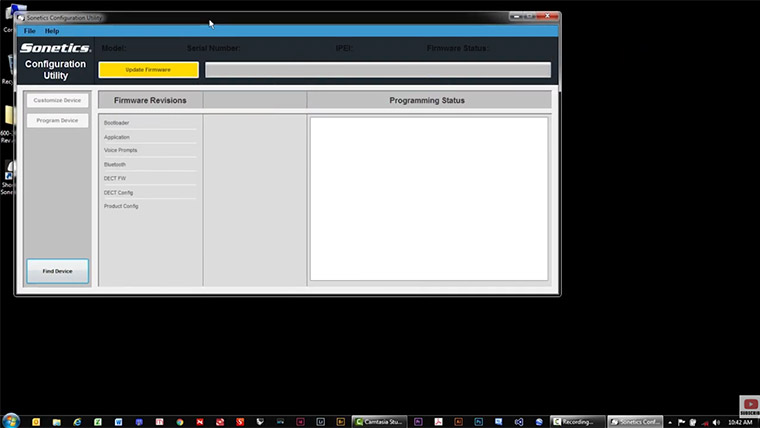
1. Install The Configuration Utility

2. Update & Configure Headsets
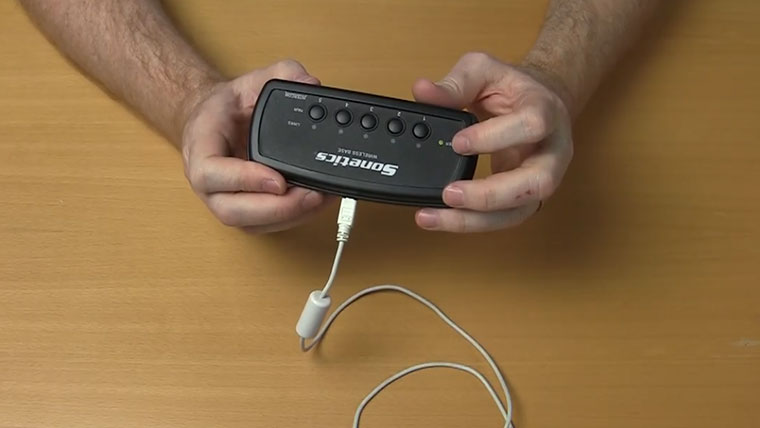
3. Update & Configure Comhub / Base Stations
Headset & Comhub/Base Station FAQ's
-
Expand FAQ's
What is the Sonetics Configuration Utility?
The Sonetics Configuration Utility is a Windows application used to configure and update Sonetics, Firecom, and Flightcom devices.Is the Sonetics Configuration Utility compatible with Mac OS?
Not currently, but future development could include this. For now, we recommend that the configuration utility be installed on a PC or Laptop with Windows 7 or newer operating systems.
Should I upgrade my Sonetics firmware?
As a best practice, you should always make sure you have the lasted firmware version loaded to ensure optimal performance for your headsets, and so you can leverage the latest features and functionality. If you add new headsets, they will always arrive with the latest firmware version as well.
How do I tell which firmware version is on my device?
Your headset’s current firmware version is available via voice prompt in the Advanced Menu on devices with firmware version 12 or later. For devices that have not been updated to version 12, you can find your current firmware version by connecting your device and using the Sonetics Configuration Utility.
Do I need to send my headset in to have the firmware updated?
You don’t need to. Just download the Sonetics Configuration Utility and use it to update your devices, it contains the latest available firmware. Also watch the videos above to quickly understand how to update.
Where do I find the manuals?
Product Manuals are listed below. Also, if a device is connected to the Sonetics Configuration Utility, you can click on the Help menu, and then click on Product Manual. The correct manual will automatically download to your computer.
If I update my Base Station will I have to pair my headsets again?
Yes, due to upgrades in DECT communications and other features, you will need to pair your headsets to your Base Station.
It took me a long time to configure my headset to my liking. If I update my headset will my current configuration be changed?
Yes. To take advantage of all the new functionality, the headset is returned to the factory default settings. The good news is that with the Sonetics Configuration Utility, you can configure your custom settings quickly, save them, and recall your saved settings at the click of a button.
Apex Connect FAQ's
-
Expand FAQ's
Should I upgrade my Sonetics firmware?
As a best practice, you should always make sure you have the latest firmware version loaded to ensure optimal performance for your Apex Connect units, and so you can leverage the latest features and functionality. If you add new units or other products, they will always arrive with the latest firmware version as well.
Do I need to send my Apex Connect in to have the firmware updated?
You don’t need to. Just download the Apex Connect firmware files and use them to update your devices. They contain the latest available firmware.
Can I use a Windows PC or a Mac computer to perform the update?
Either can be used.
I’ve downloaded the Apex Connect firmware update files. What are the steps to complete the update?
(Steps below are for Windows PC)-
Turn Apex Connect OFF.
-
Hold the Power on button for approximately 10 seconds.
Red Power LED will flash slowly, continue holding until it flashes quickly to indicate it’s in bootloader mode.
-
Plug the USB-C cable into Apex Connect and PC.
-
In File Manager Apex Connect will appear as an extra drive (normally D:).
-
Select ALL the files in the Apex Connect D drive and delete all of them.
-
Drag and Drop or Copy and Paste ALL the update files you downloaded from the Sonetics website onto the Apex Connect drive.
Files will copy over. Apex Connect will flash yellow as it is transferring over files and updating its libraries.
Example file names (not limited to):
bp_490-4071-00.sonbin (firmware)
config_[SKU]_490-4036-01.bin (settings (not pairing))
vp_490-4039-00.sonbin (voice prompt file)
If you get an “Error” message, you need to delete the existing files on the Apex Connect, before you can add the new update files.
Once complete the Power LED light will flash Green, and then return to red, indicating it’s waiting.
Apex Connect will repeat for each file copied into the Apex Connect drive.
It’s important ALL update files are transferred before rebooting.
-
Once all files are updated, hold the Power button ~2 seconds until the system reboots.
-
The system will come up in normal operation.
-
You can disconnect Apex Connect from your PC.
If I do the firmware update, will my DECT and Bluetooth pairings be lost?
No. DECT and Bluetooth pairings will remain. Settings well be reset to factory defaults. -